Kaptur
Hold class where the course already lives.
Kaptur is Folio's live classroom. The session is scheduled on the course, the roster is the guest list, and the attendance, recording and transcript all land back on the session by themselves.
Plan: no personal plan required; sessions are scheduled from the course.Every plan, compared
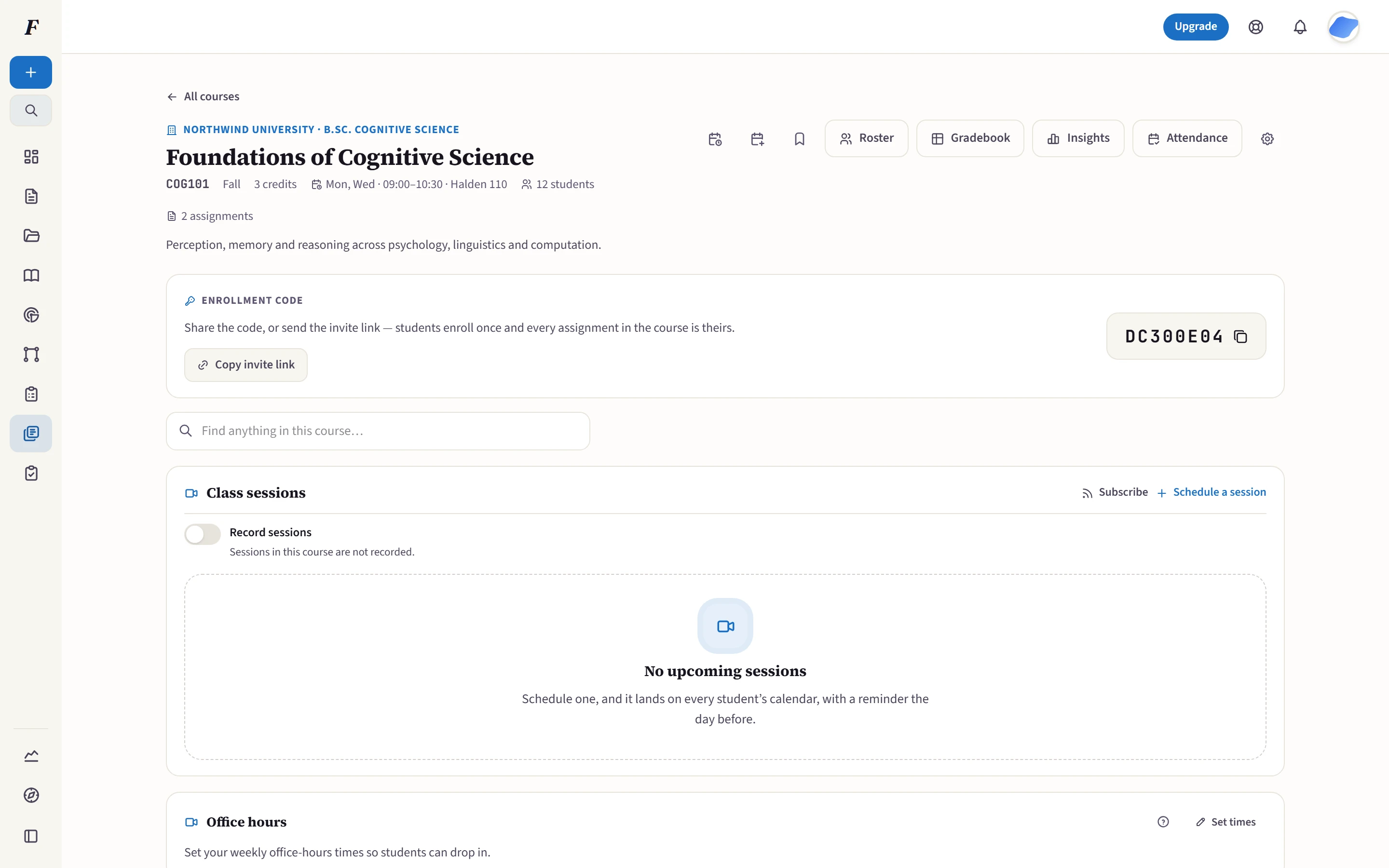
The class call is not a second tool with a second login. It is scheduled on the course that already has the roster.
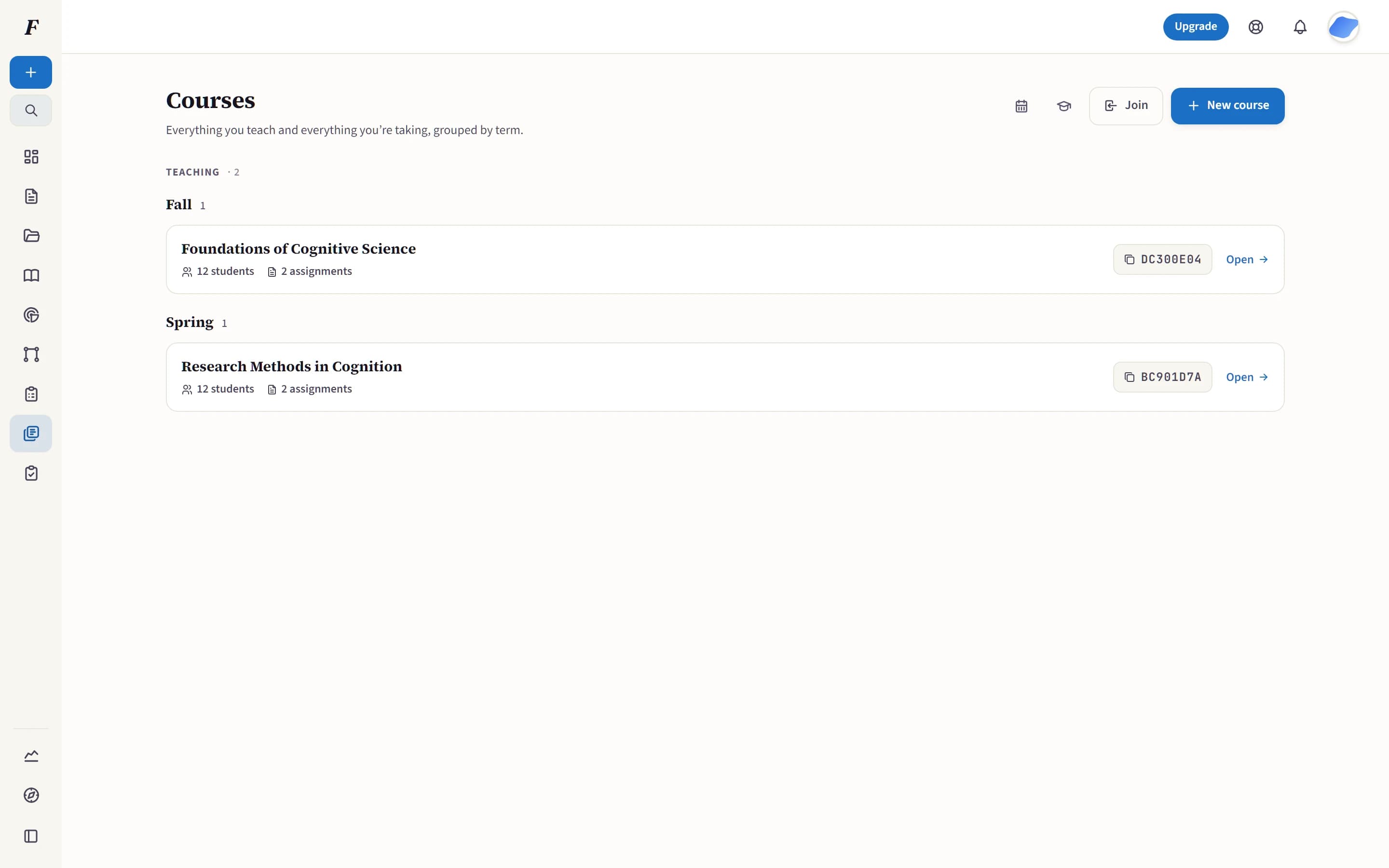
Scheduled on the course, not in a second tool.
A Kaptur session is scheduled the same way a lesson is: on the course, not in a standalone video tool. Students already enrolled see it because they are already enrolled, not because they were emailed a second link, and enrollment, role and the session window are re-checked when the room issues a token, so a forwarded link gets a stranger nowhere. When class ends, attendance comes from the room’s own join and leave events, and the recording and transcript land back on that same session on their own. The transcript becomes study notes, a draft comprehension quiz and a search across the whole term, in the language the class was taught in. Recording stays off until a course turns it on, an institution can forbid it outright, and recordings are deleted automatically after 90 days.
The questions that decide it.
Short answers, in the product’s own terms.
No. Class sessions and office hours open in the browser on a laptop or desktop. The Kaptur app is there for phones and tablets, and it opens the same session link.
No. The link only carries an identity; enrollment, role and the session window are re-checked against the live database at the moment the room hands out a token. A student removed from the course after a link was sent still cannot get in.
From the room’s own join and leave events, reported server-side after the fact. It is not a student clicking “I’m here”, and it does not depend on anyone remembering to take a register. The separate check-in code is still there when you want a deliberate roll call.
Only if the course turns it on. Recording is off by default, an institution can forbid it outright, and when it is on students are told so on the course page. Recordings are kept for 90 days and then deleted automatically; an instructor can delete one sooner at any time. Only people enrolled in that course can watch.
People enrolled in the course, and nobody else. Playback is authorized per request against the live roster, so access ends when enrollment does. The video streams from storage rather than living at a URL anyone could pass around.
No. A recorded session is transcribed automatically, in the language it was taught in, and the transcript arrives on the session on its own. You can still paste or correct one by hand, and if you do, yours wins; an automatic transcript never overwrites a human’s.
The transcript becomes study notes for the whole class, summary, key points and chapters, clearly labeled as generated from your own lecture. Instructors can draft a comprehension quiz from it, and anyone on the course can search across every lecture’s words.
The institution’s data export includes the sessions, the attendance, the transcripts and direct download links for every recording still inside its 90-day window. Transcripts are plain text with no expiry, so the words outlive the video.
Yes. A session can carry any join link you paste, and it keeps its schedule, calendar sync and materials. What an external link gives up is the part Folio can only do from inside its own room: roster-checked entry, attendance without a register, and the recording and transcript arriving on the session by themselves.
Every image on this page is a capture of the product running on fictional data. How data is protected
Teach the next one inside the course.
Schedule a session on the course, and your students already know where to be.
Free to start · No credit card · Export everything · No ads